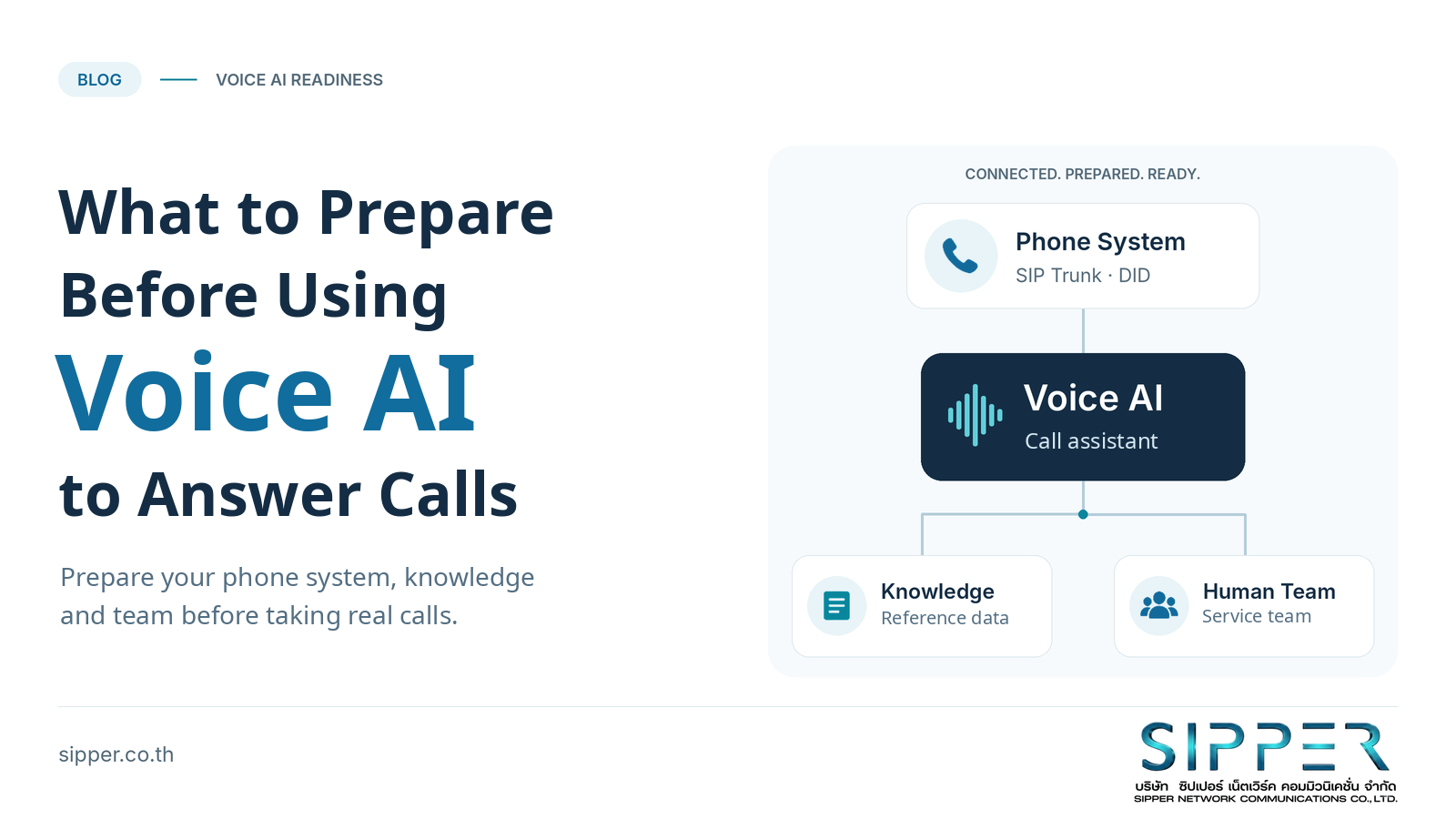
Imagine a company planning to use AI to answer questions, collect appointment requests and screen calls. The demonstration goes smoothly until someone asks: “What happens when a customer wants a person, but nobody answers the transfer?”
Before going live, assess the workflow, phone system, information and people behind the service - not just whether the AI can hold a conversation.
FIGURE 1 Prepare your workflows, phone system, knowledge and team before letting Voice AI answer real customer calls.
1. What Is Voice AI for Inbound Calls?
Voice AI uses artificial intelligence to interact with callers and perform defined tasks, such as answering questions or working with connected business systems. An implementation may convert speech to text, process it and generate spoken responses, or use a model that handles speech directly. There is no single architecture for every project. [1]
Whether a product is called an AI receptionist, AI call assistant or AI voicebot, focus on its actual responsibilities: greeting callers, screening requests or answering routine questions.
Distinguish “can hold a conversation” from “can handle a real phone call.” Speech recognition or a chatbot alone does not cover answering, routing and transferring calls. The application and its telephone connection must work together. [2] [3]
2. Which Tasks Should You Start With?
Choose work with clear questions, reliable information and outcomes you can check: explaining opening hours, describing services, identifying the right department or collecting contact details before a handover.
In a call center, start with screening or a limited category of requests. For appointments, distinguish collecting a request from checking availability and confirming a booking.
For after-hours calls, explain who will follow up and when. Do not offer an immediate transfer when no staff are available.
Choose based on the readiness of the task, not the size of the organization. Keep high-impact decisions with people while testing a manageable scope.
3. Eight Areas to Prepare Before Launch
This framework is a planning aid, not a certification standard.
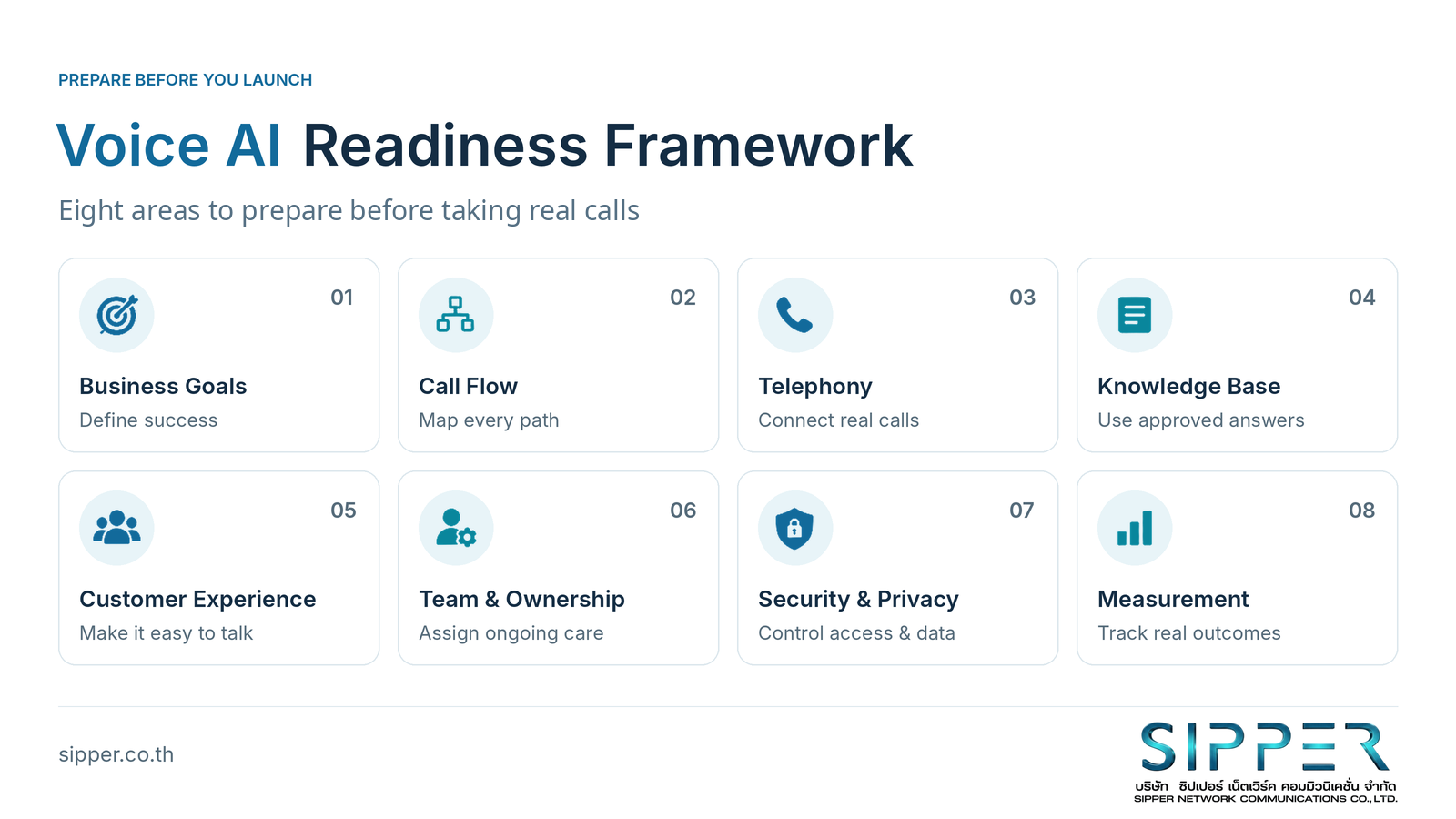
FIGURE 2 Eight areas to assess when planning a Voice AI call-answering project. This framework is a planning aid, not a certification standard.
3.1 Business Goals: What Should the AI Help With?
Set a measurable objective, such as “answer questions about opening hours and pass other requests to staff” or “collect after-hours contact details for follow-up.” This is more useful than a broad ambition to “have AI answering calls.”
Decide whether AI will handle all inbound calls or only selected types, and which decisions remain with people. Record baseline call volumes, peak periods, missed calls and staff workload before the pilot.
Include telephony, AI usage, integration, storage and ongoing staff time in the budget. Do not compare an AI subscription with a salary in isolation. Use pilot results to assess the total cost of the work actually completed.
3.2 Call Flow and Scope: Where Should Each Call Go?
A call flow maps the journey from answering to completion: “answer → identify the request → provide information or route to a department.” Add paths for cases where that normal journey cannot continue.
Design fallback, or backup options, at two levels. Conversation fallback covers misunderstanding, missing information or a request for a person. System fallback covers failures such as being unable to connect to the AI. A system-level backup should not depend on the unavailable AI to activate it.
When a transfer is unanswered, offer a realistic alternative: a queue, a message or a callback. Define waiting times, retry limits and a courteous ending. Avoid routing the caller endlessly back to the AI.
“Transferring your call” does not prove that a person has taken over. Some platforms confirm only that a transfer request has been passed to the telephony provider; the downstream system still has to act. Test through to the point where the caller actually reaches a person. [3]
3.3 Telephony and Integration: Prepare the Route for Real Calls
Clarify each component's role. A business phone number or DID is the number customers dial. A SIP trunk connects a business phone system to the public telephone network over an IP connection. A PBX or cloud PBX manages calls and internal destinations according to its capabilities. [4] [5]
One arrangement routes calls through a business number, SIP trunk and PBX before reaching Voice AI. Some platforms also support a direct SIP connection from the telephony provider to the AI. Adding a PBX is therefore not mandatory in every design, but compatibility and transfer requirements must be checked for the chosen setup. [5]
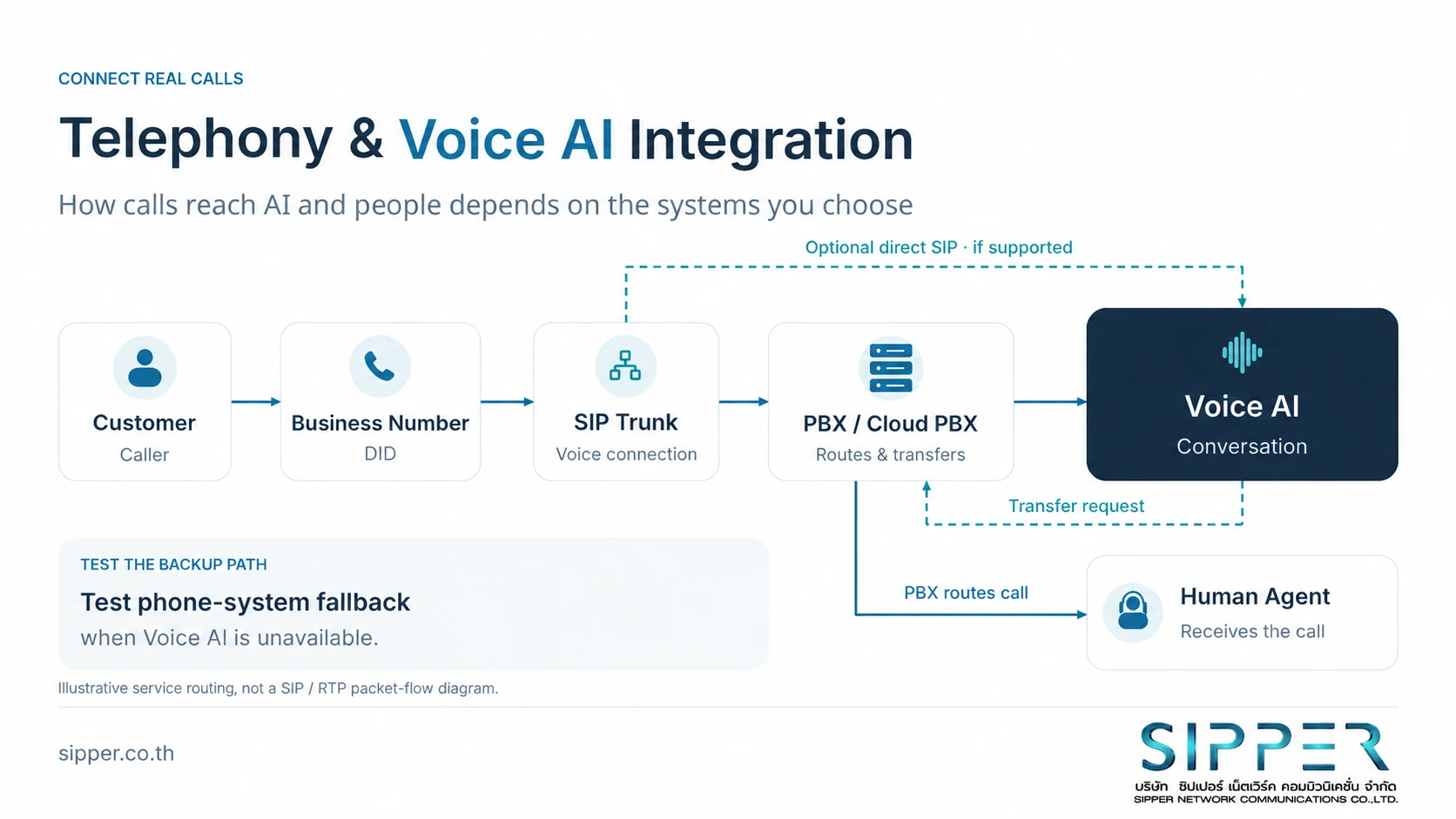
FIGURE 3 Illustrative call routing and handover. The design depends on the chosen phone system and Voice AI platform; this is not a SIP/RTP packet-flow diagram.
Ask IT to confirm the number to use, how calls from an existing number will reach the service, required concurrent-call capacity and each provider's limits. Test two-way audio, transfers and behavior under load. Do not assume the number of telephone numbers equals the number of simultaneous calls supported. [4]
An established call does not guarantee working audio: call-control signaling and voice media can take different paths. Technical teams should check supported audio formats, network settings and media routing together. [6]
Discuss SIP trunking and telephone connectivity with SIPPER, while confirming integration details with the selected Voice AI provider.
3.4 Knowledge and Data: What Will the AI Use to Answer?
Prepare an approved knowledge base: FAQs, service information, opening hours, department contacts and service procedures. Name the information owner, record review dates and specify which source takes precedence when documents disagree.
Do not upload every document without reviewing it. If an old document says the office closes at 5 p.m. and a new one says 6 p.m., decide which is authoritative. The AI should ask for help rather than guess when information is unclear.
Completing a transaction requires more than reference information. The system may need to call a connected service to check records or save a request; a conversational confirmation alone is not enough. [7]
For appointments, say “your booking is confirmed” only after it has been saved successfully. Otherwise, explain the actual status and hand over to the responsible team. Do not claim a request has been recorded when it has not.
3.5 Customer Experience: Make It Easy to Talk and Get Help
Define tone, personality, language and response length. Introduce the AI clearly: “Hello, I'm the company's AI assistant. I can help with service information or connect you with the team. What can I help you with today?”
Use that example only when those capabilities are available. Ask for one piece of information at a time, and repeat important names, phone numbers, dates and times before saving details or completing a transaction.
Test the languages your callers use - including Thai where relevant - along with accents, names, numbers and background noise on real phone calls. Twilio's guidance emphasizes testing speech recognition against actual audio conditions and preparing text so that names, numbers and dates are spoken clearly. [8]
Include interruptions, silence and changes of topic. Explain waiting or transfer steps, rather than repeatedly saying “please hold” without a useful next option.
3.6 People and Ownership: Who Looks After the Service?
Appoint a project owner and define who approves scripts, maintains prompts - the instructions guiding the AI - updates service information, manages phone numbers and telephony, and reviews customer outcomes.
One person may hold several roles, but provide backup coverage and a shared issue-reporting process across business teams, IT and providers.
Set review intervals, keep versions of changes and identify who can pause the service or restore the previous call route. NIST's risk-management guidance emphasizes ongoing ownership, monitoring and risk management after deployment. [9]
3.7 Security and Privacy: Know Where Customer Data Goes
List the information the AI will request, whether calls will be recorded, and whether transcripts - written versions of conversations - and operational logs will be stored. Document purposes, access, retention periods, deletion procedures and the providers receiving the data.
Have the legal or privacy team assess the actual workflow against Thailand's PDPA, including the appropriate legal basis, caller notices, consent where required and any cross-border data arrangements. A recording announcement or a platform choice is not automatic PDPA compliance.
Limit collection and access to what is needed, separate test data from real customer data, and prepare procedures for data-related requests and incidents. Data controls, minimization and access management are part of the AI risk-management practices described by NIST. [9]
Do not design the AI to request passwords or one-time passcodes. Have downstream systems enforce authorization before disclosing personal information or changing records; do not rely on a prompt alone.
This section is a preparation checklist, not legal advice or a compliance certification for any system.
3.8 Measurement: Did the Call Produce a Useful Outcome?
Define metrics before the pilot and distinguish system activity from service outcomes. Evaluation should cover both the conversation and the actual action - for example, whether an appointment was saved exactly as confirmed - not simply how natural the response sounded. [1]
Track calls answered, tasks completed, transfers answered by staff, dropped calls, conversation duration and customer satisfaction. Define each denominator: transfer success should include all calls that required transfer, not exclude failed transfer requests.
Check whether fewer missed calls are accompanied by a backlog or repeat calls. Compare similar call types and time periods before and after deployment, and include total cost. Shorter conversations or fewer transfers alone do not establish success.
4. Common Mistakes Before Launch
| Assumption | What to prepare instead |
|---|---|
| Having AI means we can start taking calls. | Design the workflow and test real telephone connections. |
| The existing phone system does not matter. | Check numbers, inbound routing and transfers. |
| The AI must answer everything. | Define limits and when to ask for help. |
| We do not need fallback. | Prepare conversation-level and system-level backup paths. |
| We can organize the information after launch. | Approve the knowledge and assign its owner before the pilot. |
| Once installed, the service looks after itself. | Assign responsibility and schedule ongoing reviews. |
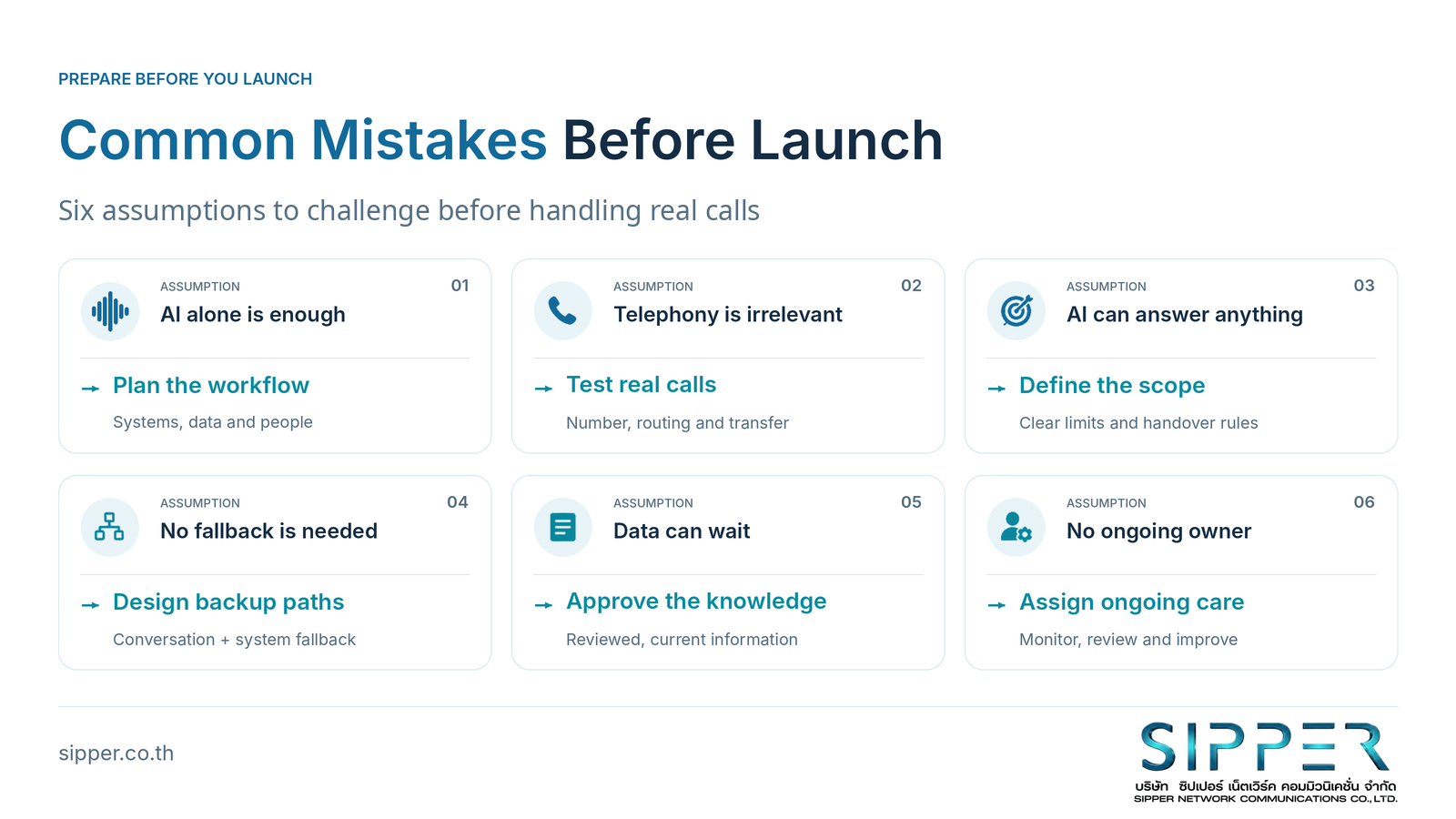
FIGURE 4 Challenge assumptions about AI, telephony, scope, backup paths, knowledge and ongoing ownership before the pilot.
5. A Safer Way to Start
Follow Plan → Prepare → Pilot → Improve → Scale. Let verified results determine expansion, not simply the number of days the pilot has run.
Plan - Choose one use case. For example, answer opening-hours questions and collect contact details, while staff handle other matters. Define what the AI must not do.
Prepare - Set up the service and its backups. Check numbers, connectivity, knowledge, conversation design, privacy arrangements and ownership. Test normal and failure paths before exposing the service to customer calls.
Pilot - Limit the scope. Start with a department or call category, with someone reviewing outcomes and ready to intervene. Include different accents, background noise, requests for a person, unanswered transfers, business-system failures and concurrent calls.
Improve - Fix causes and retest. Separate knowledge, conversation and connectivity problems. Record changes and check that previously working scenarios still pass after each update.
Scale - Expand only after validation. Core tasks, transfers and fallback should pass agreed tests; the team should be able to handle the workload; and significant issues should be resolved. Pause affected functions if personal information reaches the wrong person or the AI confirms a transaction that never occurred.
Do not run an unsupported after-hours pilot for work needing urgent human assistance. Every pilot should include a way to restore the previous call route.
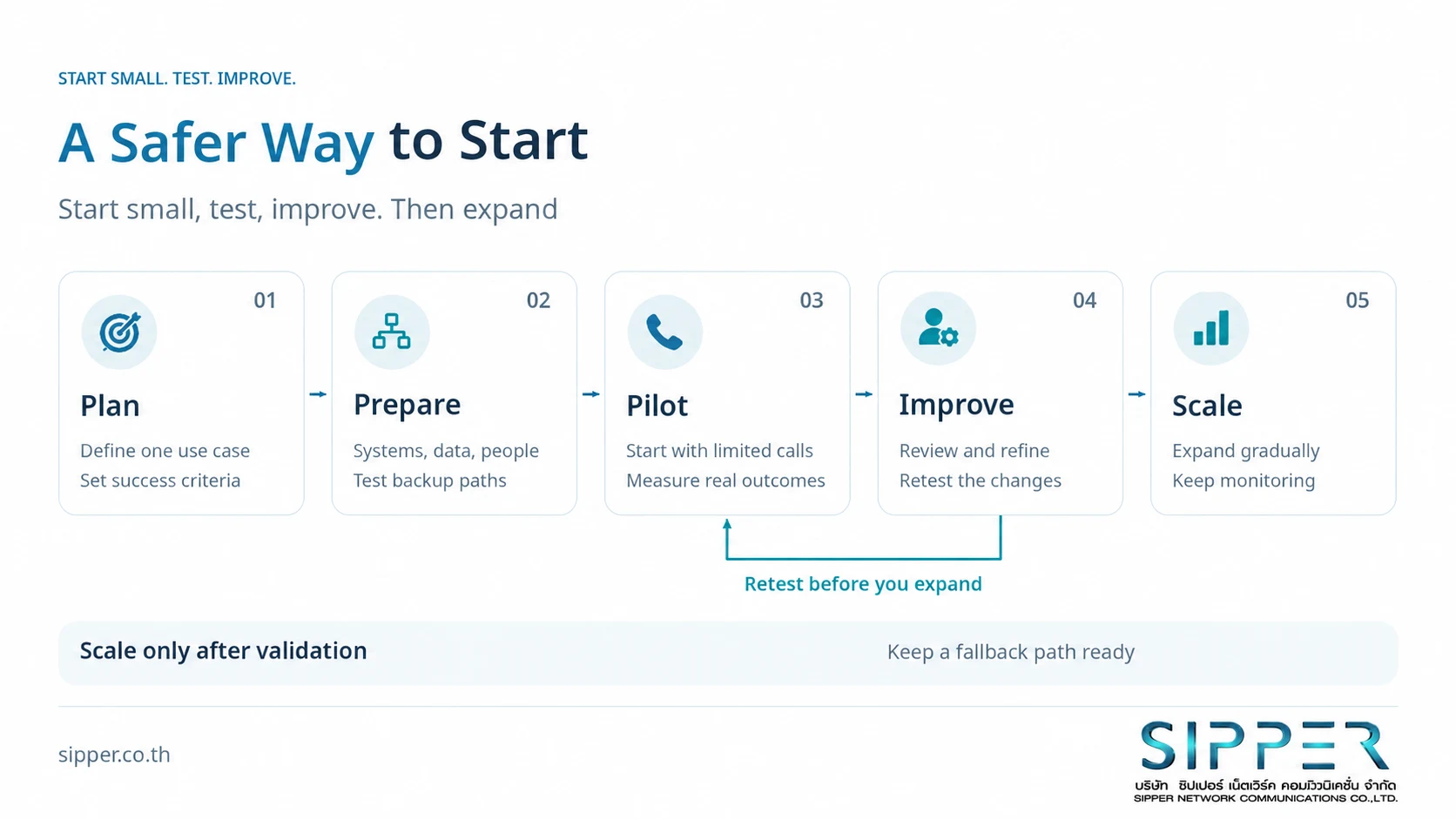
FIGURE 5 Start with a controlled scope, test and improve, then expand only when results meet the agreed criteria.
6. Checklist: Are You Ready for a Pilot?
Ask each team to mark these areas Ready / More preparation needed / Not yet clear.
| Area | What you should be able to answer |
|---|---|
| Goals | Which tasks will AI handle, and what is out of scope? |
| Call flow | What happens when it cannot answer, a transfer fails or a system is unavailable? |
| Telephony | Which number and connection will you use, and have real calls been tested? |
| Knowledge | Which sources are approved, and who maintains them? |
| Customer experience | How will the service confirm details, offer help and end calls? |
| Ownership | Who handles incidents, approves changes and can pause the service? |
| Privacy | What is stored, where, who can access it, and have the requirements been reviewed? |
| Measurement | What determines whether to improve, expand or stop? |
Do not judge readiness by counting completed rows. Resolve critical gaps in data protection or customer handover before starting.
7. Where SIPPER Fits In
SIPPER provides SIP trunk and DID services in Thailand. Organizations can discuss phone numbers and telephony connectivity for Voice AI projects with SIPPER. This role is distinct from choosing an AI model, designing conversations or developing the AI application. [10]
Bring your goals, number requirements, existing phone system, call volumes and shortlisted AI platform to the discussion. Agree the integration approach and each team's responsibilities. A SIP trunk alone does not make every AI feature ready to use.
8. Start Small, but Start Prepared
Before putting Voice AI in front of callers, check that the goal is clear, calls can reach the service, information is ready, backup paths exist and someone owns the outcome. Then choose a small use case with results you can verify.
The objective is to give customers useful answers or appropriate assistance - even when the AI cannot continue.
Planning to use Voice AI for inbound calls? Contact SIPPER to discuss SIP trunking, DID numbers and a telephone connection suited to your chosen system.
References
These resources explain the principles discussed. Platform examples are illustrative; they do not certify compatibility with SIPPER or endorse a particular platform. Confirm current requirements with the relevant providers before deployment.
- OpenAI - Voice agents - Voice AI architectures and evaluation of conversations and task outcomes.
- Twilio - Conversation Relay - Voice components and application-development responsibilities.
- OpenAI - Telephony and SIP - SIP calls and the distinction between a transfer request and downstream completion.
- Twilio - Elastic SIP Trunking - SIP trunking, numbers, networks and call capacity.
- Retell AI - Connect Retell voice agents to custom telephony - Integration options and transfer requirements for different telephony configurations.
- IETF / RFC Editor - RFC 3261: SIP: Session Initiation Protocol - SIP signaling and its separation from media transport.
- Google Cloud - Dialogflow CX: Webhooks - Business logic, data checks and operations in connected systems.
- Twilio - Best practices for Conversation Relay - Speech testing and preparation of names, numbers and dates for spoken responses.
- NIST - AI RMF Playbook: Manage - Ongoing ownership, data controls and risk management; not an interpretation of Thailand's PDPA.
- SIPPER - Company service information - Used together with the brand owner's confirmation of SIP trunk and DID services in Thailand; not a claim that SIPPER supplies every AI component or supports every platform.