“Our phone system still makes and receives calls. Do we really need to replace it?”
Imagine an office where new employees must wait for phone-system capacity, salespeople rely on colleagues to answer calls while they are out, and managers struggle to find out how many customer calls went unanswered.
This hypothetical situation highlights the difference between “Does the system still work?” and “Does it still support the way our business works?”
A replacement decision should start with real limitations, business impact and readiness - not the assumption that newer is always better. The right answer may be to keep the current system, improve selected parts, or plan a phased migration.
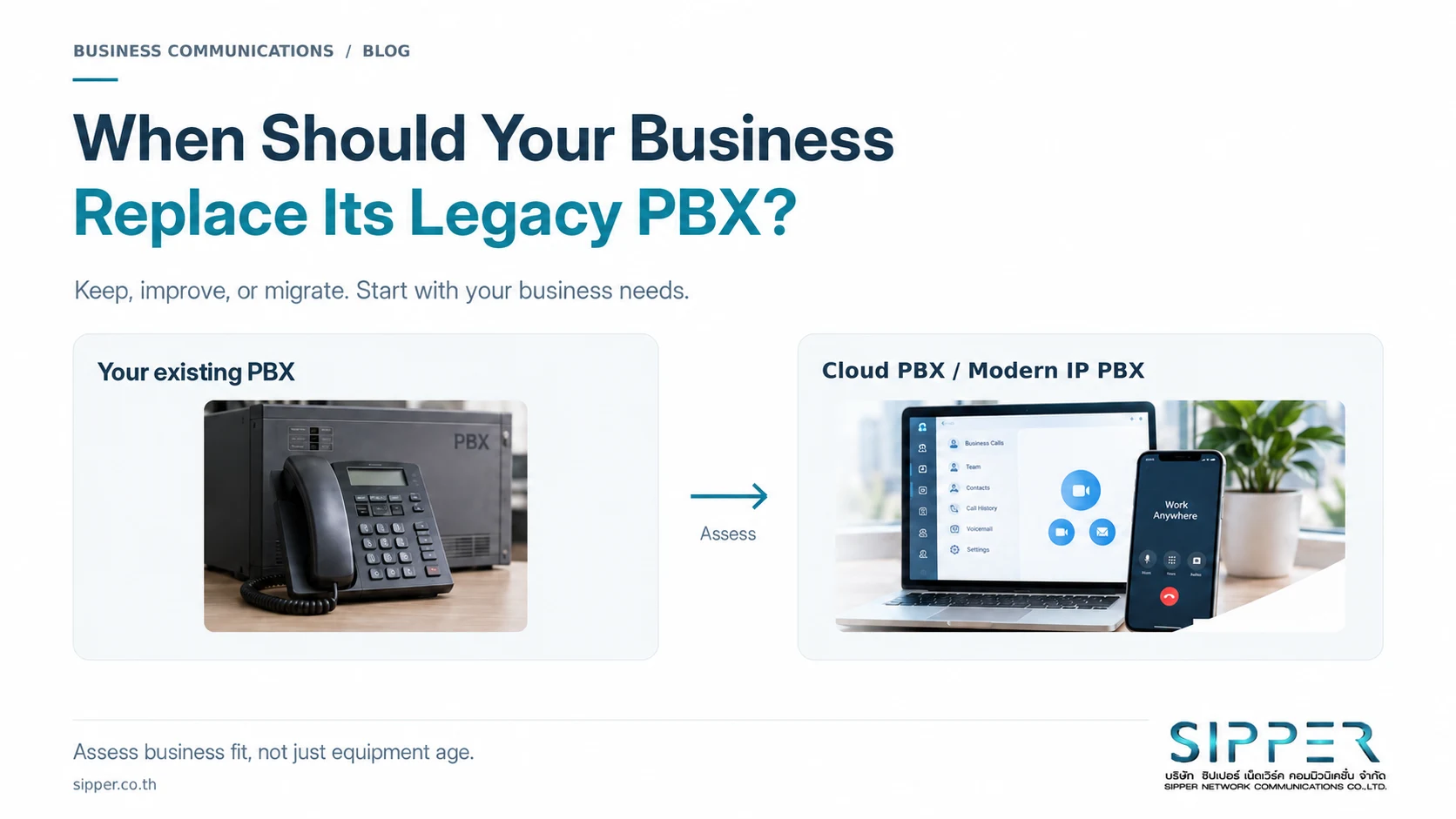
Figure 1 Start with how well the system fits your business - not how new the technology is.
1. What is a legacy PBX - and does “on-premises” mean outdated?
A PBX, or private branch exchange, manages an organization’s phone communications, including internal calls, transfers and connections to external telephone services. PABX refers to an automatic private branch exchange. An on-premises PBX is installed at the organization’s own premises.[1]
On-premises does not automatically mean outdated. Some modern IP PBX platforms support phone apps, remote working and integration with business systems.[2]
Here, “legacy PBX” means the existing system being reviewed. It does not imply that every on-premises installation should be replaced with Cloud PBX.
2. When can keeping the existing system still make sense?
Keeping the system can be reasonable when employees mainly work at the same location, call handling is straightforward, and the current setup meets the organization’s needs. That case is stronger when support is available, responsibilities are clear, and a practical outage-response plan is in place.
Keeping it should still involve periodic reviews. Revisit support at contract renewal, and check capacity before adding a team, relocating or opening another branch.
3. Nine signs it is time to review your phone system
Use these signs to assess whether keeping the current system still makes sense given its workload, limitations and risks.
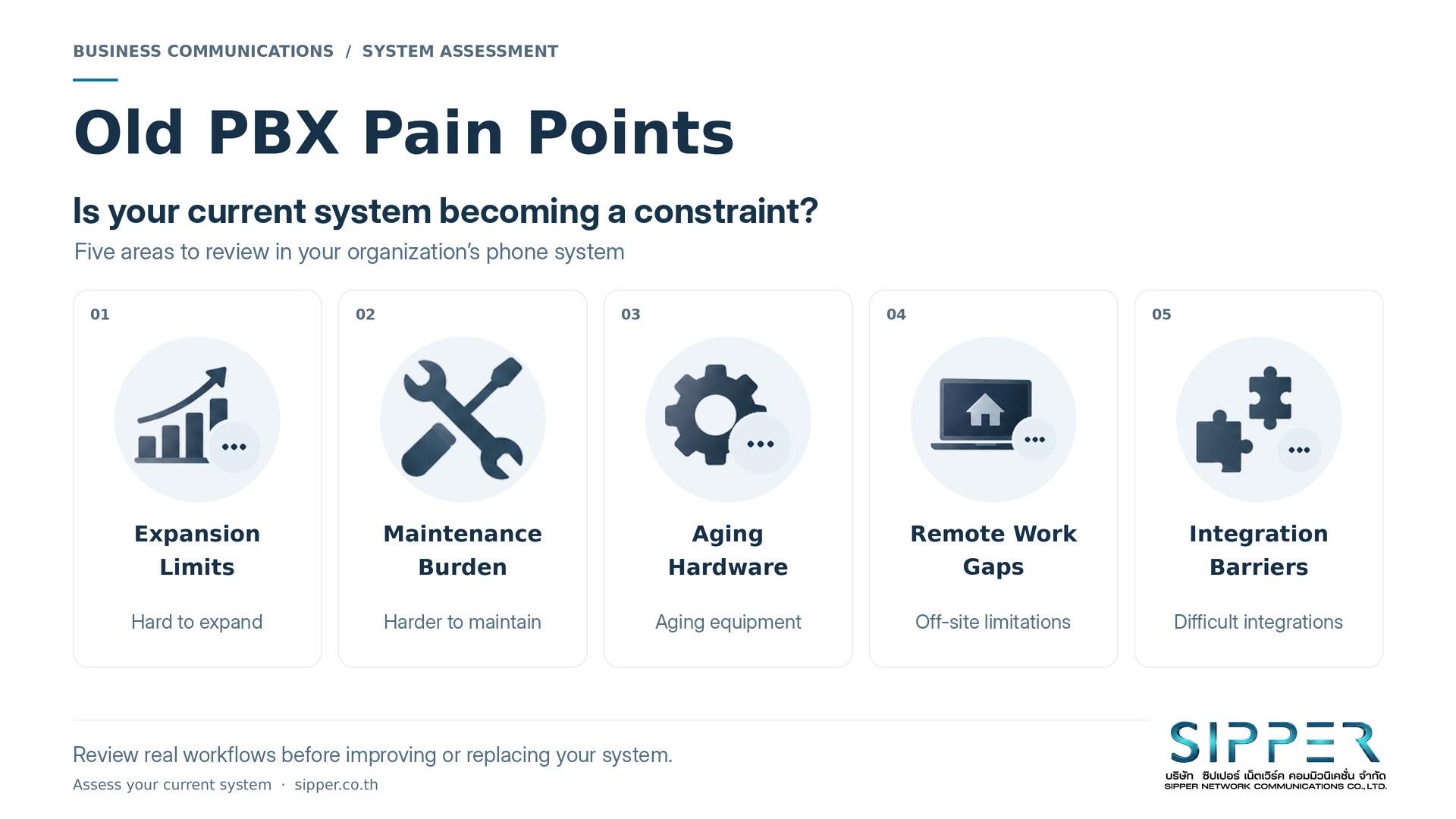
Figure 2 Review limitations in expansion, maintenance and support for the way your business works.
3.1 Maintenance is becoming more difficult
Recurring faults, frequent restarts or increasingly lengthy troubleshooting deserve a closer look. Record incidents, business impact and recovery time rather than focusing only on the latest repair bill.
Do not assume every dropped call or audio problem comes from the PBX. In IP-based phone systems, network problems and packet loss can also affect call quality. Identify the cause before replacing equipment.[3]
3.2 Parts or qualified support are hard to find
When repairs depend on second-hand parts, or only one specialist understands the installation, ask what happens when that person is unavailable.
Check support for the exact model, configuration records, administrator access and backup procedures. Organizing this information is worthwhile even before deciding to buy anything new.
3.3 Adding users or branches is difficult
If new employees must wait for expansion hardware, extra wiring or changes across several components, assess the effect on your growth plans.
Distinguish the number of extensions from the number of simultaneous calls the business needs. Ask the provider to check both. Employee headcount alone is not enough to size the system.
3.4 Work has changed, but calls are still tied to a desk
Hybrid and remote teams may depend on colleagues to take messages or regularly use personal mobiles to call customers back. These workarounds are a reason to review the communication process.
Supported desktop or mobile phone apps may let employees handle business calls outside the office. Confirm the actual devices, network requirements and licensing, then test receiving and transferring calls in real workflows.[4]
3.5 CRM, call center or Voice AI integration is difficult
Start with the workflow: displaying customer details when a call arrives, recording contact history, or routing calls to an automated assistant. Asking for an “AI-ready” system is not a sufficiently specific requirement.
A customer relationship management system, or CRM, may integrate with telephony for caller information and activity logging, but supported capabilities must be checked.[5] For Voice AI, test call handling, handover to employees and what happens when automation cannot continue.
3.6 Hidden operating costs are increasing
A modest repair bill can hide the hours IT spends on telephony every week. Repeated charges for small changes should also be included in the assessment.
Compare total costs over the same period, such as three years. Include support, equipment, licenses, calls, connectivity, migration and user training. Separate quoted costs from estimates of staff time or business disruption. Whether Cloud PBX offers better value depends on your organization’s numbers - not a blanket promise of savings.
3.7 Managing multiple branches is becoming complex
Different extension plans and call-handling rules can lead to repeated configuration work. Consider whether a more coordinated management approach would help.
Decide which elements should be standardized, such as greetings or routing, and which should remain under local control. Consolidation should address measurable difficulties, not become an objective on its own.
3.8 You need information or features the current system cannot provide
If you cannot identify peak call times, waiting times or which teams need more people answering calls, first check whether the data already exists but is not being used.
Some call center platforms provide reporting and queues to help monitor service.[6] Choose recording, interactive voice response (IVR) menus, mobile extensions and other features according to the problem to solve. Check the specific edition and service plan.[7]
3.9 The system is becoming a business-continuity risk
Ask: “If the phones stop working while we are taking orders, how will customers reach us - and who will manage the response?” Without an actionable answer, continuity planning should start now.
Cover power, networks, the phone platform and external telephone services, and test the plan. Calling a solution “cloud” does not prove that its outage arrangements are ready.
Assess severity, not just the number of signs. Several smaller issues can add up to a case for change, but one serious continuity risk can also justify an urgent review.
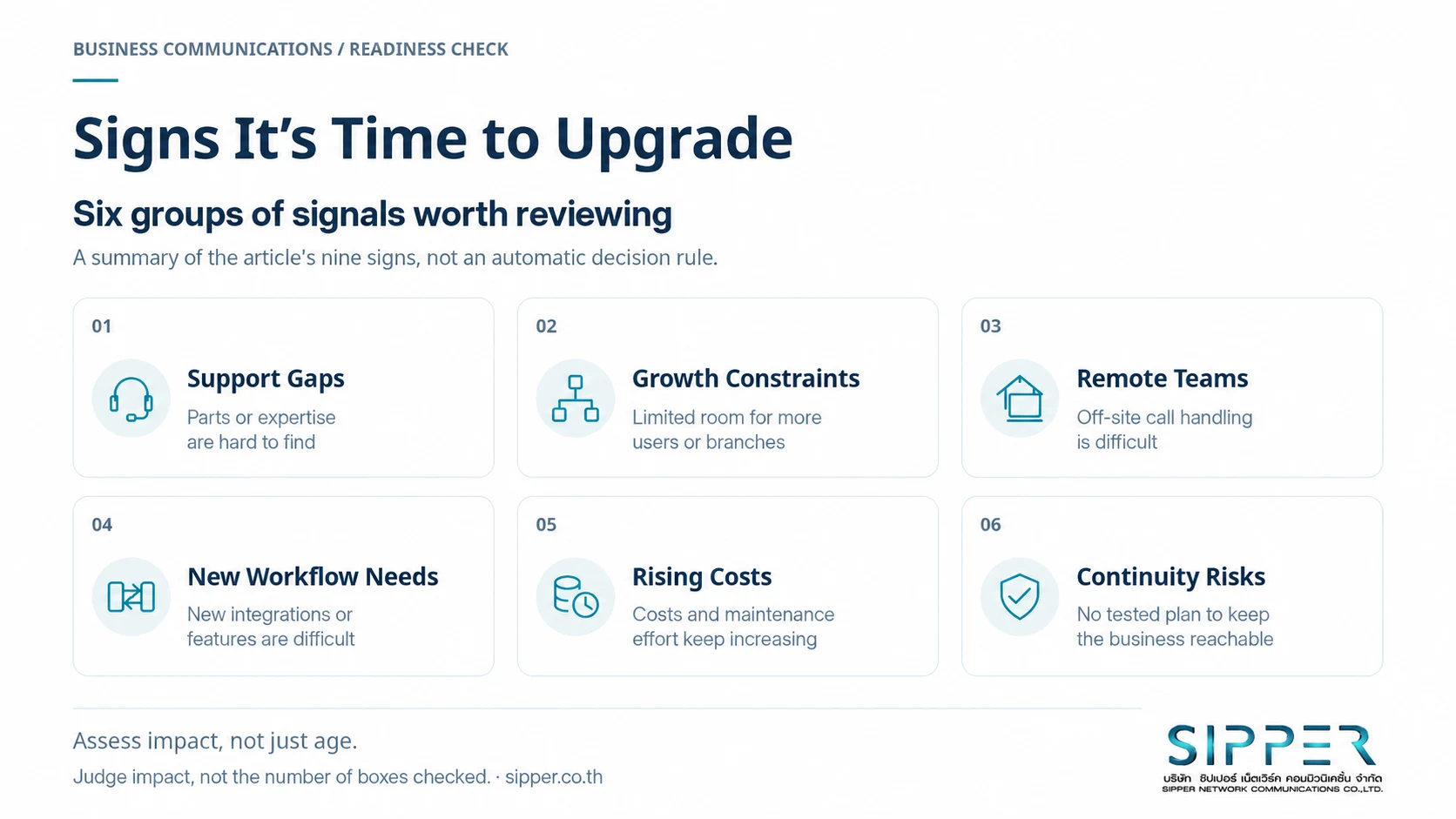
Figure 3 Assess impact and severity. The six groups summarize nine signs, not an automatic decision rule.
4. What can a modern system offer - and what needs checking?
Cloud PBX hosts phone-system functions in the cloud, with users connecting through supported devices and networks. A modern on-premises IP PBX keeps the core system at the organization’s site while using IP networking for calls. Both can be modern deployment options.[1]
Compare capabilities, responsibilities and costs - not only where the system runs. The table below is a set of assessment questions, not a declaration that one approach always wins.
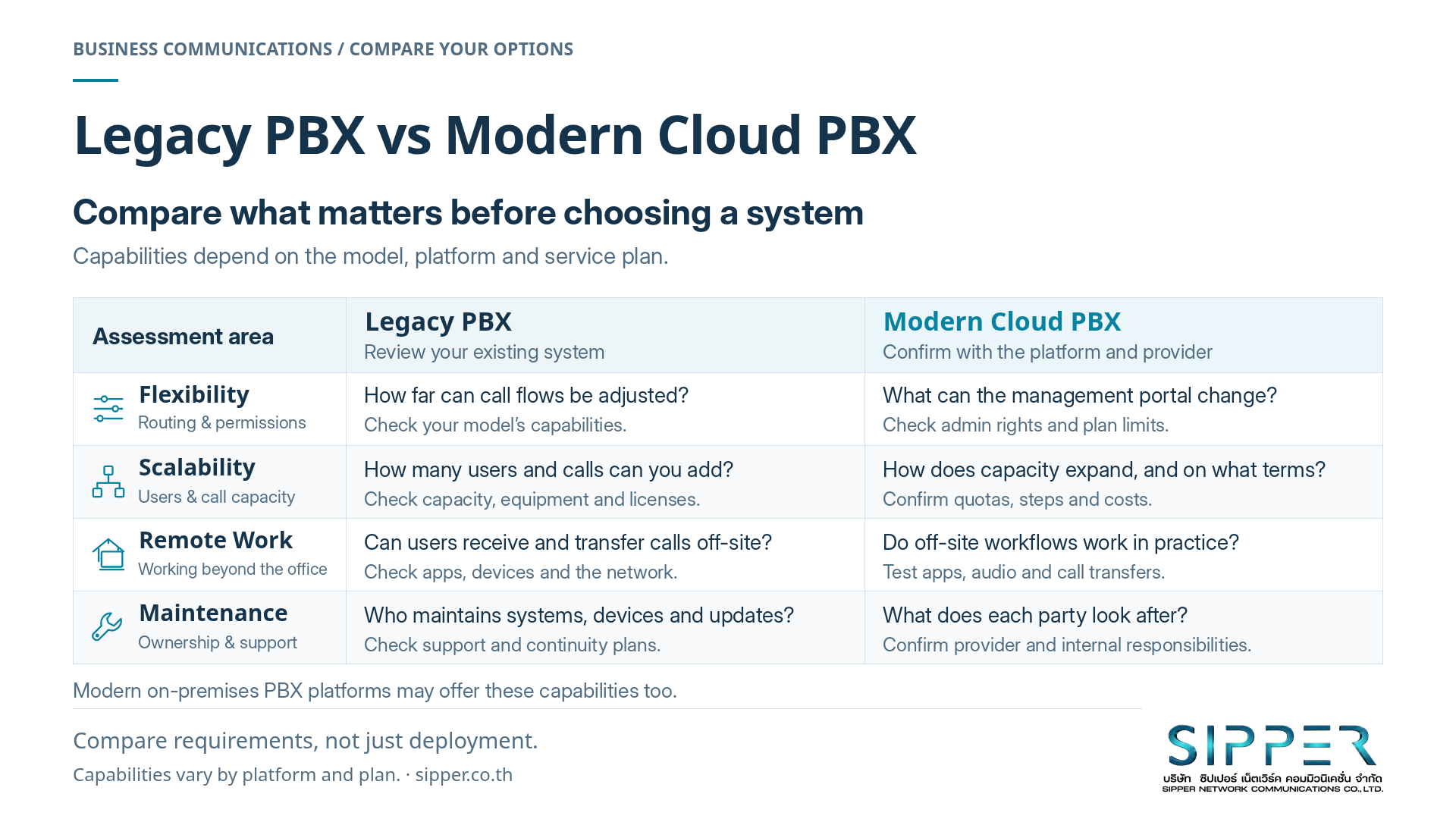
Figure 4 Compare real workflows and responsibilities. Capabilities vary by platform and service plan.
| Area | Review in the existing system | Confirm in the proposed solution |
|---|---|---|
| Flexibility | How easily can call handling and user permissions be changed? | Who can make changes, and what limits or charges apply? |
| Expansion | How many additional users and simultaneous calls can it support? | What plans, equipment or resources must be added? |
| Remote work | Is there a supported, manageable way to work off-site? | Which devices, apps and networks have been tested? |
| Maintenance | Who handles faults and updates? | What does the provider maintain, and what remains your responsibility? |
| Integration | How well does it connect with existing business tools? | Does it support the real workflow or only basic connectivity? |
| Cost and continuity | What costs and risks come with keeping it? | Are migration, backup arrangements and exit terms included? |
For Cloud PBX, agree who manages accounts, settings, backups and office equipment. Moving to the cloud does not remove every internal responsibility.
Do not assess connectivity by internet speed alone. Review Wi-Fi and network quality too: packet loss and inconsistent packet timing can affect calls, as Microsoft’s network-preparation guidance explains.[3]
Another option is a targeted upgrade. For example, you may be able to introduce SIP Trunk connectivity while retaining the existing PBX, provided it is compatible or can use a suitable gateway.[8] A SIP Trunk connects the phone system to a telephone service provider over IP; it is not the PBX that manages extensions and routing. Changing one does not necessarily require replacing the other.[9]
5. You do not have to replace everything at once
Start with a team that has a clear use case, or a branch ready to participate, and use the findings before expanding. Old and new systems may coexist through equipment such as a VoIP gateway, but compatibility must be checked.[8]
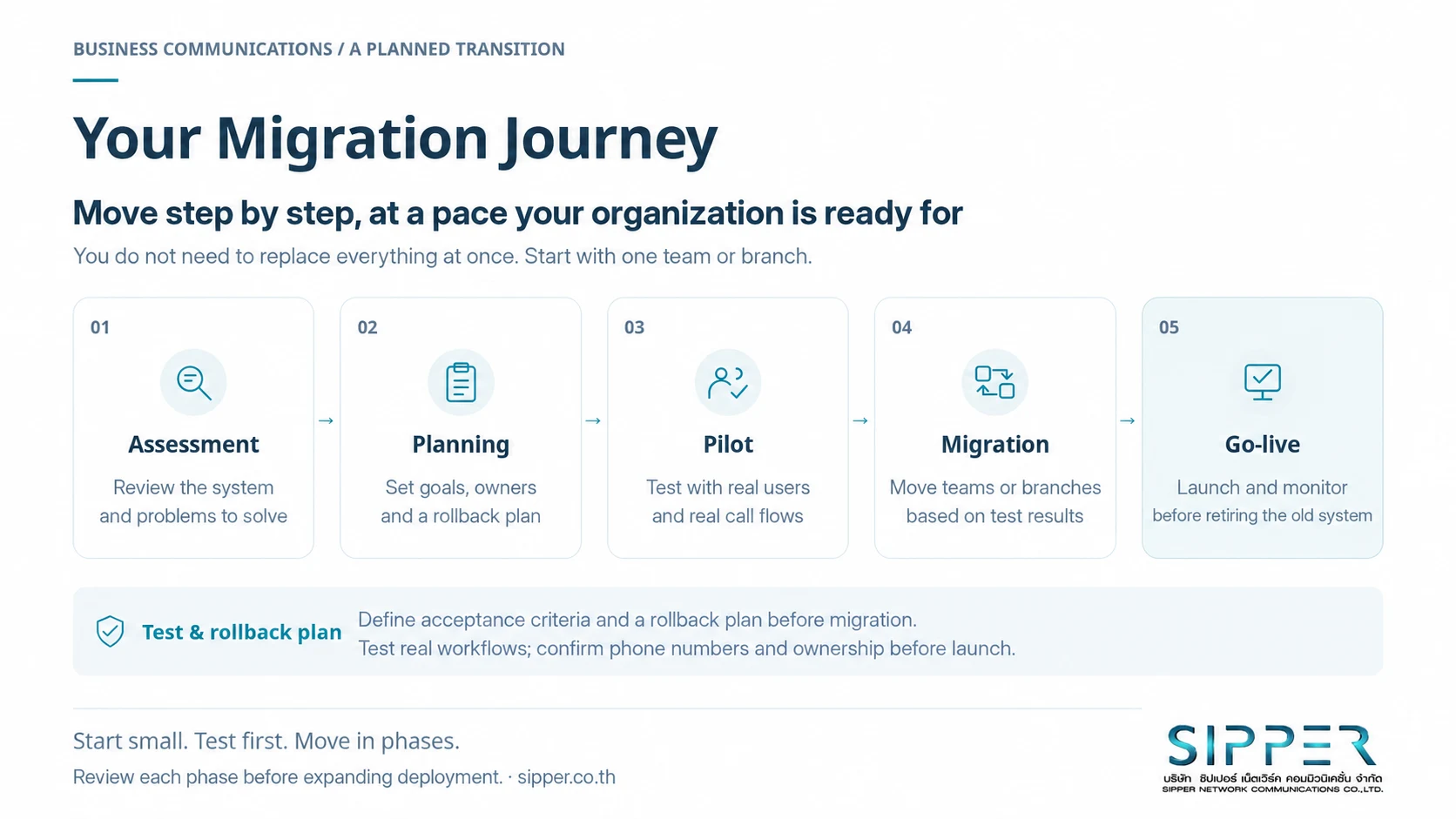
Figure 5 Assess, plan, pilot, migrate and monitor - with acceptance criteria and a rollback plan agreed in advance.
Assessment - Review what you have and what needs solving
Document extensions, users, external lines, equipment and incident history. Define outcomes you can test - such as receiving and transferring business calls off-site - rather than simply aiming to “modernize.”
Planning - Plan the move and the way back
Agree on the target system, responsibilities, timing and acceptance criteria. Before setting a migration date, confirm how existing numbers, contracts and restrictions will be handled. Specify when to stop or roll back, and which changes cannot be reversed immediately.
Pilot - Test with real users
Test incoming and outgoing calls, transfers, keypad menus, two-way audio and remote working within the agreed scope. Include planned failure scenarios. Have employees try the system during real work, rather than relying only on a vendor demonstration.
Migration - Move in phases, guided by test results
Move team by team or branch by branch. Check extension plans and calls between systems. Set review dates and conditions for retiring the old platform so temporary coexistence does not become an indefinite obligation to maintain two systems.
Go-live - Launch, monitor and hand over
Provide instructions, a support channel and clear owners. Compare results with the agreed goals. Before canceling old services, confirm number handling, data requirements and handover. One successful outgoing call is not enough to declare the project complete.
6. Checklist: What should you prepare before switching?
Use this checklist to start the discussion between management, IT and the provider. Separate must-haves from nice-to-haves.
- Users and call demand: Current users, hiring plans and simultaneous calls during busy periods.
- Branches and working patterns: Locations, off-site teams and each team’s operating hours.
- Existing system: Brand, model, version, connected equipment, administrator and support status.
- Numbers and contracts: Numbers to retain, current providers, contract end dates and confirmed transition arrangements.
- Integrations: CRM, call center, Voice AI or other systems, with the exact workflows required.
- Budget: Setup, services, equipment, backup connectivity, training and running two systems during migration.
- Network and power: LAN, Wi-Fi, internet access and how work continues when a component fails.
- Data and access: Who can view reports or recordings, retention periods, export methods and review by the responsible internal teams.
- People and handover: Internal administrators, provider responsibilities, approvers, acceptance criteria and rollback arrangements.
Fax machines, door phones and other devices that rely on telephone lines should be tested individually. Before enabling recording, agree on its purpose and how audio data will be managed. Having the feature does not mean the organization’s data-handling processes are ready.
7. How can SIPPER help assess the options?
SIPPER provides SIP Trunk and DID services - direct inward dialing numbers - in Thailand, alongside Cloud PBX and business phone solutions.[10] A discussion can begin with your existing setup, problems and business goals; it does not have to start with choosing a package.
SIPPER can help assess requirements, plan the approach and design a suitable solution, whether the goal is a targeted improvement or a system migration. Constraints and compatibility should be checked before the approach is finalized.[10]
A useful assessment should answer three questions: What should stay? What should change? In what order?
8. Start assessing before limitations affect the business
Keeping the existing system makes sense when it meets your needs, remains supported and has manageable risks. Age alone is not a reason to replace it.
When growth becomes difficult, maintenance demands rise, or working practices outgrow the platform, a serious review is worthwhile. You do not need to encounter every sign first.
The right time to change is when there is a clear business case and a workable transition plan - not simply when new technology appears, and ideally before an outage forces the decision.
Deciding whether to keep, improve or replace your existing PBX? Talk to SIPPER about assessing your needs and planning a phone system that fits your organization, starting with your business challenges and plans.
Contact SIPPER Sales: sales@sipper.co.th or +66 2 098 9500.[10]
Discuss your system with SIPPER
References
References are retained from the Thai edition, which records a source-review date of 21 September 2026. Manufacturer documentation supports the technical examples; it does not mean every capability is included in every SIPPER service or project. SIPPER reference links below lead to Thai-language pages.
- 3CX - What is a PBX phone system?
- Yeastar - P-Series Appliance Edition / IP PBX
- Microsoft Learn - Prepare your organization's network for Microsoft Teams
- Yeastar - Remote Working Solution
- Yeastar - CRM Integration Solution
- Yeastar - Call Center Solution
- Yeastar - P-Series PBX System: capabilities, editions and plans
- Yeastar - VoIP Gateways: existing equipment and migration use cases
- 3CX - SIP trunking explained
- SIPPER - Cloud PBX and business phone systems (Thai) and SIPPER - SIP Trunk and DID (Thai)